JOURNALLOOK • AI REVIEWS • 2026
Cursor AI Review 2026
Features, Pricing, Pros & Cons — Is It Worth It?
Updated: November 2026. Cursor is an AI-focused code editor designed to help developers understand projects, write and revise code, and move through repetitive programming work faster. But the central question is not whether an AI assistant can generate code. It is whether Cursor fits your workflow, budget, and tolerance for reviewing AI-generated changes.
This JournalLook review examines Cursor as a single product: what it does, who should use it, where it can go wrong, how its subscription structure works, and how to decide whether it is worth paying for. This is a documentation-based editorial review, not a hands-on benchmark or a claim that we independently tested every feature.
Quick Verdict
Cursor is worth trying if you already write code regularly and want AI assistance inside your editor. Its strongest appeal is the combination of project-aware conversation, suggested edits, and agent-style workflows. It is less compelling if you rarely code, need a guarantee of correct output, or cannot review changes before shipping.
Cursor at a Glance
- Product: Cursor, an AI-powered code editor.
- Best for: Developers who want code completion, project-context assistance, and guided multi-file edits.
- Learning curve: Moderate for beginners; more approachable for developers familiar with VS Code-style workflows.
- Free access: A limited free offering is listed on Cursor’s official pricing page.
- Paid plans: Available, with usage allowances and feature entitlements that may change. Check the live official pricing page.
- Main caution: Generated code, commands, and dependencies still require human review and testing.
What Is Cursor AI?
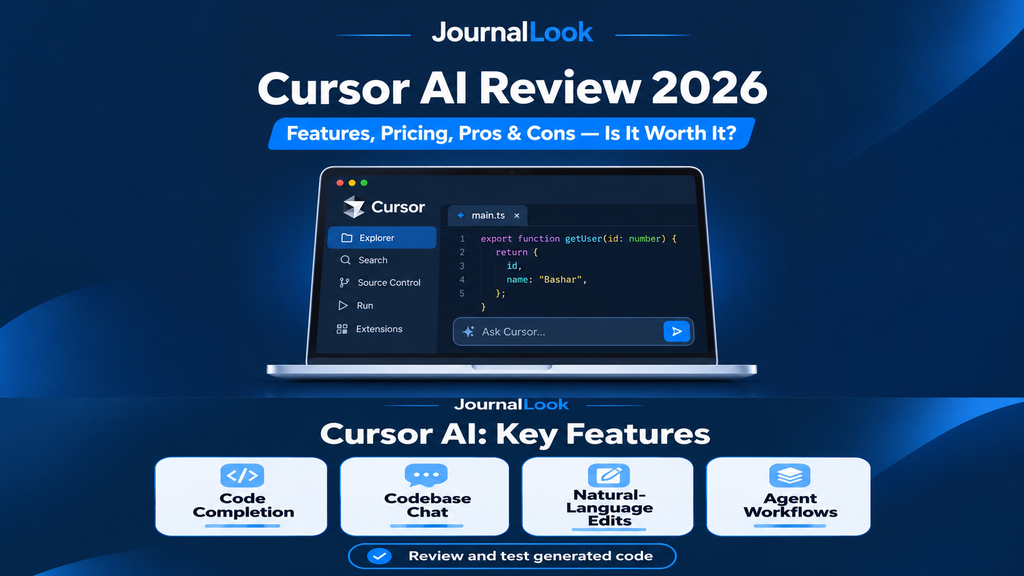
Cursor is a code editor built around AI-assisted software development. Rather than keeping an assistant in a separate browser tab, it brings conversational help and editing workflows into the environment where developers inspect files, change functions, and navigate a codebase. Cursor markets its editor around predictive completion, codebase awareness, and natural-language edits.
This matters because a coding task rarely consists of one isolated function. A change may involve several files, naming conventions, existing tests, configuration, and dependencies. An assistant with relevant project context can make the process more convenient, although the quality of any proposed change still depends on the context provided and the model’s behavior.
Key Cursor Features Reviewed
1. AI Code Completion
Cursor’s completion workflow predicts likely edits while you type. For developers who repeat patterns across a project, useful completions can reduce mechanical typing and help maintain local conventions. However, a plausible completion is not necessarily the best implementation. Developers should inspect correctness, style, and security rather than accepting every suggestion.
2. Codebase-Aware Chat
Cursor supports asking questions about code and using project context in its responses. For example, you might ask where a particular behavior is implemented, what a module depends on, or why a test fails. The feature is most useful when the relevant files are accessible and the question is specific. Incomplete context can lead to confident but incorrect explanations.
3. Natural-Language Editing
Instead of editing every line manually, a developer can describe a desired change. Cursor can suggest modifications to existing code, including changes that span multiple parts of a project. This can be useful for refactoring, repetitive updates, or adding a straightforward feature. Review the proposed diff carefully, especially if it touches authentication, payments, permissions, or database migrations.
4. Agent and Multi-Step Workflows
Cursor’s documentation describes agent-oriented coding workflows. These can help coordinate steps such as inspecting a repository, editing files, and running checks. The practical value depends on the task, tool permissions, plan limits, and quality of the underlying project. More autonomy also means more opportunities for an incorrect action to affect multiple files.
5. Familiar Editor Experience
Cursor emphasizes a familiar editing experience and the ability to bring over common development preferences. That can reduce friction for developers who already work in modern desktop editors. Still, compatibility with a particular extension, workflow, or organization policy should be checked before switching a team.
6. Privacy Mode and Code Handling
Cursor documents a Privacy Mode intended to prevent code from being used for training by Cursor or model providers. Its privacy documentation also explains that prompts and relevant code context may be sent to AI providers for processing. That distinction is important: preventing training use does not mean code never leaves your machine. Organizations handling proprietary or regulated information should review the current security terms, subprocessors, and internal policies before enabling AI features.
Cursor Pros and Cons
What We Like
- Integrated workflow: Assistance appears where developers read and change code.
- Project context: Questions can reference relevant files rather than isolated pasted snippets.
- Flexible editing: Natural-language requests can accelerate routine refactors and repeated changes.
- Free entry point: A limited tier allows initial evaluation before committing to a subscription.
- Privacy controls: Published documentation explains Privacy Mode and relevant data-handling considerations.
Where Cursor Falls Short
- Verification is essential: AI-generated code can introduce bugs or insecure assumptions.
- Usage limits: More intensive agent workflows may require paid allowances or additional charges.
- Context is imperfect: Large repositories and ambiguous tasks can still produce mistaken edits.
- Not a substitute for engineering judgment: Architecture, testing, maintainability, and compliance remain human responsibilities.
- Data governance matters: Teams must evaluate where code context is processed and which tools agents may execute.
Cursor Pricing in 2026
Cursor’s official pricing page currently describes a limited free tier and several paid levels, with feature availability and usage allowances varying by plan. Because the pricing presentation and included model access can change, this article deliberately avoids presenting a static subscription price as guaranteed. Review Cursor’s live pricing page for the current amount in your region, billing frequency, taxes, usage policies, and any separately billed model access.
Before upgrading, estimate how many agent tasks and AI requests you actually make in a typical week. Also check whether the plan covers the model you want, what happens when an allowance runs out, and whether the product provides spending controls. A low headline price is not enough to determine the total cost of an intensive workflow.
Who Should Use Cursor?
Software Developers
Cursor is most relevant for developers who spend significant time editing existing projects. If you routinely inspect unfamiliar code, fix small defects, or implement well-scoped features, integrated AI assistance may save effort. A disciplined review-and-test habit is a prerequisite for meaningful gains.
Students Learning to Code
Beginners may benefit from explanations and small examples, but accepting entire solutions can hide gaps in understanding. A better approach is to ask Cursor to explain a failing test, compare two implementations, or point out why your own code behaves unexpectedly. Rebuild the solution yourself after reading the explanation.
Freelancers and Solo Builders
Solo developers can use Cursor to draft repetitive components, explore unfamiliar libraries, or speed up internal tools. However, generated code still needs tests, version control, and review. For client projects, confirm that use of AI tools is permitted and that confidential material is handled appropriately.
Teams and Businesses
Teams should assess privacy controls, administrative settings, billing visibility, and code-review practices before broad deployment. The right question is whether Cursor improves throughput without increasing defect rates, security exposure, or maintenance burden.
How to Try Cursor Without Wasting Money
- Step 1: Download Cursor from its official website and start with a non-sensitive sample project.
- Step 2: Choose a task you understand, such as adding validation to a simple form.
- Step 3: Ask Cursor to explain the relevant files before requesting edits.
- Step 4: Request one small change and review the diff line by line.
- Step 5: Run the project’s tests, linting, and relevant security checks.
- Step 6: Record time saved, corrections needed, and usage consumed. Repeat across several tasks before upgrading.
A Practical Example: Fixing a Form Bug
Imagine a form that submits successfully even when a required email field is blank. Instead of asking an AI agent to “fix the whole app,” first ask it to identify where validation occurs and which tests cover the form. Then request a narrow change, inspect the proposed diff, and add a test for empty input. This workflow keeps the developer in control while still using AI to reduce searching and boilerplate.
The same principle applies to larger tasks: define the acceptance criteria, limit the scope, review changes, and run independent checks. Cursor can assist with implementation, but it cannot guarantee that the behavior is correct for your users.
Is Cursor Safe for Professional Code?
Safety depends on configuration, project sensitivity, and how the team uses AI-generated suggestions. Cursor’s Privacy Mode addresses training use, while its documentation states that prompts and code context can be processed by model providers. Do not assume every file or repository is appropriate to share. Use least-privilege permissions, protect secrets, and require review for changes involving customer data, authentication, infrastructure, or production systems.
Frequently Asked Questions
Is Cursor AI free?
Cursor lists a limited free option. Limits and included features may change, so check the official pricing page before relying on a specific allowance.
Is Cursor suitable for beginners?
It can help explain code, but beginners should use it as a tutor and review every generated solution rather than outsourcing the learning process.
Can Cursor write an entire application?
Cursor offers agent-oriented workflows that can assist with substantial implementation tasks. That does not guarantee a complete, secure, production-ready application without engineering review.
Does Cursor work with an existing codebase?
Codebase-aware assistance is a central part of its product positioning. Effectiveness depends on accessible context, project complexity, and task clarity.
Does Privacy Mode keep all code local?
No. Cursor explains that code context and prompts can be sent to AI providers for processing. Privacy Mode concerns training use; consult its documentation for the precise data-handling commitments.
Is Cursor worth paying for in 2026?
It may be worthwhile if you use its AI features frequently and can verify that time savings exceed the subscription and usage costs. Start with a representative free-tier trial.
Final Verdict: Is Cursor Worth It in 2026?
Cursor is a credible option for developers who want an AI-first editing workflow rather than a standalone chatbot. Its strongest case is convenience: predictive suggestions, project-context questions, and guided edits in one place. Its biggest limitation is the same one shared by AI coding systems generally: generated output can be wrong, and the responsibility for shipping reliable software remains with the developer.
JournalLook recommendation: Try Cursor on a small, low-risk project first. Measure whether it improves your own workflow, inspect every meaningful change, and only upgrade after checking current pricing and usage rules. For people who rarely code, a dedicated AI editor is unlikely to be a priority purchase.
Official Sources and Editorial Disclosure
- Cursor official product website
- Cursor official pricing
- Cursor Help Center and feature documentation
- Cursor privacy and data documentation
- Cursor privacy policy
Editorial note: This is an independent, documentation-based product review. It does not claim hands-on benchmark testing, guaranteed performance improvements, or access to private usage data. Features, prices, and limits may change. The links above are official reference links, not represented as affiliate links.