JOURNALLOOK / AI REVIEWS / 2026
Grammarly vs QuillBot: Which Writing Tool Is Better in 2026?
An independent, task-based comparison of proofreading, paraphrasing, writing workflows, free plans, and value.
Updated November 2026. Choosing between Grammarly and QuillBot is less about finding a universal winner and more about understanding how you write. Both help improve text, but they approach the job from different directions. Grammarly emphasizes corrections and suggestions while you write; QuillBot is particularly known for rewriting and paraphrasing text you already have.
This JournalLook guide compares their practical strengths, limitations, free access, and suitability for students, professionals, and content creators. The assessments are editorial judgments based on publicly described features and use cases, not results from a controlled head-to-head test. Features, limits, and prices can change.
Quick Verdict
Choose Grammarly if your main problem is spelling, grammar, clarity, or polishing everyday emails and essays. Choose QuillBot if you frequently need to compare alternative phrasings, shorten sentences, or rewrite passages you wrote yourself. Neither tool replaces fact-checking, original thinking, or proper citations.
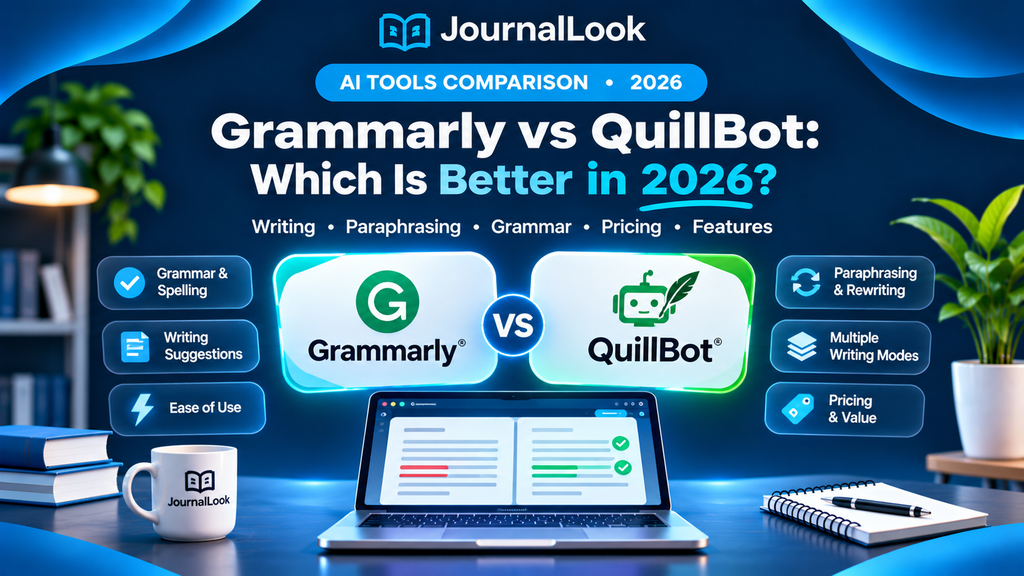
Grammarly vs QuillBot: At a Glance
| Category | Grammarly | QuillBot |
|---|---|---|
| Primary strength | Grammar and writing feedback | Paraphrasing and rewriting |
| Best workflow | Edit as you draft | Rewrite or refine selected passages |
| Free access | Free tier available | Free tier available |
| Grammar checking | Core capability | Available |
| Paraphrasing | Available; features vary by plan | Core capability; modes and length limits vary |
| Plagiarism checks | Check current plan entitlements | Check current plan entitlements |
| Best for | Emails, essays, workplace writing | Alternative wording, concise rewrites |
| Important caution | Suggestions may alter voice | Rewrites may alter meaning |
Free-tier limits, supported integrations, AI credits, and pricing vary by plan and can change. Consult official pricing pages before subscribing.
1. Grammarly: Best for Everyday Writing and Proofreading
Grammarly is designed to help users catch language issues and improve how a draft reads. Its greatest advantage is the feedback loop: write something, review suggested changes, and decide which edits improve your meaning. This is particularly valuable for professionals drafting emails and students revising essays in English.
What Grammarly does well
- Grammar and spelling: flags common errors that distract readers.
- Clarity: suggests more direct ways to express a point.
- Writing workflow: can support editing in several writing contexts, subject to product and platform availability.
- Learning: reviewing suggestions can help you recognize recurring mistakes.
Where Grammarly falls short
- Suggestions are not always appropriate for technical language, quotations, or a deliberate personal style.
- Some advanced rewriting, tone, and other capabilities depend on the plan.
- Grammar corrections do not verify facts, calculations, quotations, or citations.
JournalLook verdict: Grammarly is the more natural first choice when you want a continuous proofreader rather than a dedicated rewriting workspace. Visit Grammarly.
2. QuillBot: Best for Paraphrasing and Sentence Rewriting
QuillBot is most useful when a sentence is technically correct but still awkward, repetitive, or longer than necessary. Its paraphrasing tools can offer alternative wording that you can evaluate and refine. That does not mean the output is automatically better: an elegant rewrite may accidentally remove a qualification or change the original meaning.
What QuillBot does well
- Paraphrasing: offers alternate expressions for user-supplied text.
- Conciseness: helps explore shorter or smoother versions of a sentence.
- Editing: supports a workflow where you compare variants and keep only useful changes.
- Additional tools: grammar and other writing utilities may be available depending on plan and product.
Where QuillBot falls short
- Free paraphrasing can have word-count and mode restrictions.
- A rewrite can change technical precision or the author’s intended emphasis.
- Paraphrasing a source does not eliminate the obligation to cite it.
JournalLook verdict: QuillBot is the better starting point when the central task is rewriting your own sentences while preserving meaning. Visit QuillBot.
Grammar Accuracy: Which Tool Should You Use?
For proofreading, Grammarly has the clearer product focus. Its workflow centers on identifying errors and suggesting improvements as text is composed or reviewed. QuillBot also provides grammar tools, so it may be sufficient for occasional checks. However, a definitive claim that one has higher accuracy would require standardized testing across the same texts, languages, and error categories; this article does not claim to have performed such a test.
A useful test is to run the same 300-word draft through each tool and review five categories: spelling, punctuation, subject–verb agreement, sentence clarity, and false-positive suggestions. Record whether each recommendation improves the sentence without changing the meaning.
Paraphrasing and Rewriting: Which Is Better?
QuillBot has a more explicit emphasis on paraphrasing. If your workflow involves selecting a paragraph and exploring alternative formulations, its specialized interface is appealing. Grammarly can also offer rewriting assistance, but availability and usage limits vary. The best result is usually not the version with the most changes: it is the one that communicates your original idea more clearly.
Example: Original: “The results indicate that the method may provide benefits in certain circumstances.” A risky rewrite would be “The method always delivers better results.” The second sentence sounds confident but removes the original uncertainty. Always compare the meaning, not just the wording.
Grammarly vs QuillBot for Students
Students often need two different types of support: understanding what they want to say and communicating it accurately. Grammarly can help at the proofreading stage after an argument has been drafted. QuillBot can help when a student wants to see alternate phrasing for their own text. Neither should be used to disguise copied material or manufacture citations.
- Write an outline from your lecture notes and primary sources.
- Draft the assignment in your own words.
- Use Grammarly to identify language errors.
- Use QuillBot selectively to explore clearer wording in difficult sentences.
- Compare edits with the original, verify every citation, and follow your university’s AI policy.
Grammarly vs QuillBot for Business and Professional Writing
For day-to-day professional communication, Grammarly may be the more convenient default: short emails, proposals, cover letters, and meeting summaries benefit from quick grammar and clarity checks. QuillBot can be useful for revising a repetitive product description or shortening a dense paragraph. For sensitive client, legal, medical, or internal company text, check privacy policies and employer rules before pasting material into any external service.
Grammarly vs QuillBot for Bloggers and Content Creators
Bloggers benefit from both careful proofreading and concise editing. Grammarly is helpful when reviewing an article for grammar and readability. QuillBot can suggest alternatives for sentences that feel repetitive. Neither tool makes a post original by itself, and neither substitutes for firsthand expertise, credible sources, or useful examples. Publishing mass-rewritten content without added value is not a sustainable content strategy.
Free Plans and Pricing: What Matters in 2026?
Both products offer free access, but “free” does not mean unlimited use of every AI feature. Grammarly and QuillBot have different premium capabilities, billing cycles, and usage limits. Because promotions and plan structures can change, compare the current official pages before paying rather than relying on a static price quoted in an older article.
| Question | What to check |
|---|---|
| What is free? | Grammar tools, paraphrasing limits, available AI actions |
| What is paid? | Advanced features, higher usage allowances, and integrations |
| Billing | Monthly versus annual effective cost |
| Student use | Whether your institution offers approved access |
| Privacy | Data handling and permission to upload sensitive content |
Official pricing: Grammarly plans and QuillBot Premium.
Which One Should You Choose?
| Your main task | Recommended starting point | Why |
|---|---|---|
| Fix grammar in emails | Grammarly | Editing-first workflow |
| Rewrite awkward sentences | QuillBot | Paraphrasing-first workflow |
| Polish an academic essay | Grammarly, then selective QuillBot | Correct language before considering rewrites |
| Improve blog readability | Either, depending on bottleneck | Different tools solve different problems |
| Verify facts and citations | Neither | Use primary sources and reputable references |
Our Recommendation
Start with the free version of the tool that matches your most frequent task. If you spend more time fixing errors, try Grammarly first. If you spend more time reformulating sentences, try QuillBot first. Test both on your own writing before paying for a subscription.
How to Test Both Tools Fairly
- Prepare one original 300–500-word draft with a few known language issues.
- Use the free versions of both products, noting any usage restrictions.
- Track accepted suggestions, rejected suggestions, and meaning changes.
- Compare time saved, readability, and whether the final text still sounds like you.
- Check current premium features only if the free version cannot meet your needs.
Common Mistakes to Avoid
- Accepting every AI suggestion without reading it.
- Using paraphrasing to hide plagiarism or avoid attribution.
- Assuming a grammar checker can validate evidence or academic references.
- Uploading confidential or sensitive documents without authorization.
- Buying a yearly plan before testing your real writing workflow.
Frequently Asked Questions
Is Grammarly better than QuillBot?
Grammarly is a stronger fit for ongoing proofreading and writing feedback; QuillBot is a stronger fit for paraphrasing. Neither is universally better for every writer.
Is QuillBot good for academic writing?
It can help refine sentences you wrote, but students must preserve meaning, cite sources, and follow course policies on AI-assisted writing.
Can I use Grammarly and QuillBot for free?
Both offer free access, although available features and usage limits differ. Check the current official product pages.
Which tool is better for paraphrasing?
QuillBot is more explicitly centered on paraphrasing. Compare the rewritten text with the original to ensure meaning and attribution remain correct.
Which tool is better for grammar correction?
Grammarly is more directly focused on continuous proofreading and grammar feedback, though QuillBot also offers grammar tools.
Will these tools make my writing plagiarism-free?
No. Rewriting another person’s ideas without proper attribution can still be plagiarism. Always credit the original source.
Do I need to pay for either tool?
Not necessarily. For occasional proofreading or rewriting, a free tier may be enough. Upgrade only after identifying a recurring limitation.
Final Verdict
Grammarly wins for everyday proofreading; QuillBot stands out for dedicated paraphrasing. The more useful question is which stage of writing slows you down. Choose based on the task, not the number of features on a marketing page. For most writers, one well-used free tool is better than two underused subscriptions.
Sources and Editorial Disclosure
- Grammarly — official product website
- Grammarly — plans
- QuillBot — official product website
- QuillBot — Premium
Editorial note: This comparison describes product positioning and practical use cases based on publicly available information; it is not a controlled hands-on benchmark. We have not independently verified live subscription prices or all current feature limits. The links above are official product links, not presented as affiliate links.