JOURNALLOOK / AI BUYING GUIDES / 2026
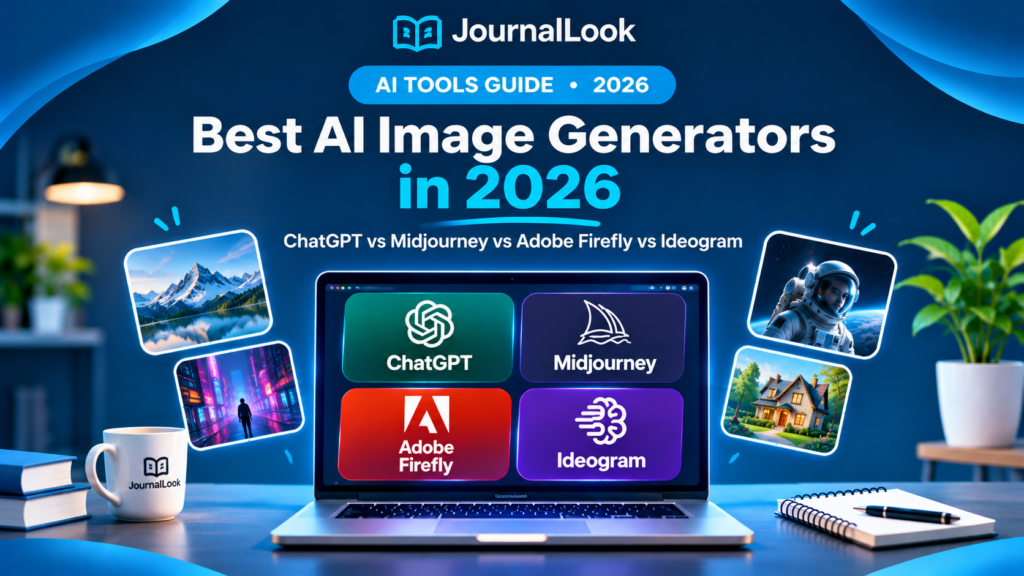
Best AI Image Generators in 2026: ChatGPT vs Midjourney vs Adobe Firefly vs Ideogram
Four creative tools, different strengths. Compare image creation, text rendering, editing, licensing, and value before choosing.
Updated November 2026. AI image generators can turn a written description into illustrations, marketing concepts, mockups, and visuals for social media. But the best tool for cinematic art may not be the best tool for accurate words on a poster, or for editing a product photo. That difference matters more than a flashy sample gallery.
This JournalLook guide compares ChatGPT image generation, Midjourney, Adobe Firefly, and Ideogram. We assess publicly documented features and practical workflow fit, not the results of a controlled hands-on image-quality benchmark. Product capabilities, credit systems, and commercial terms can change; verify the provider’s current plan before paying.
Quick Verdict
Best for conversational image creation and revisions: ChatGPT. Best for stylized artistic exploration: Midjourney. Best for Adobe-centric creative workflows: Adobe Firefly. Best for images that need prominent readable text: Ideogram. These are workflow recommendations, not a claim that one generator wins every visual test.
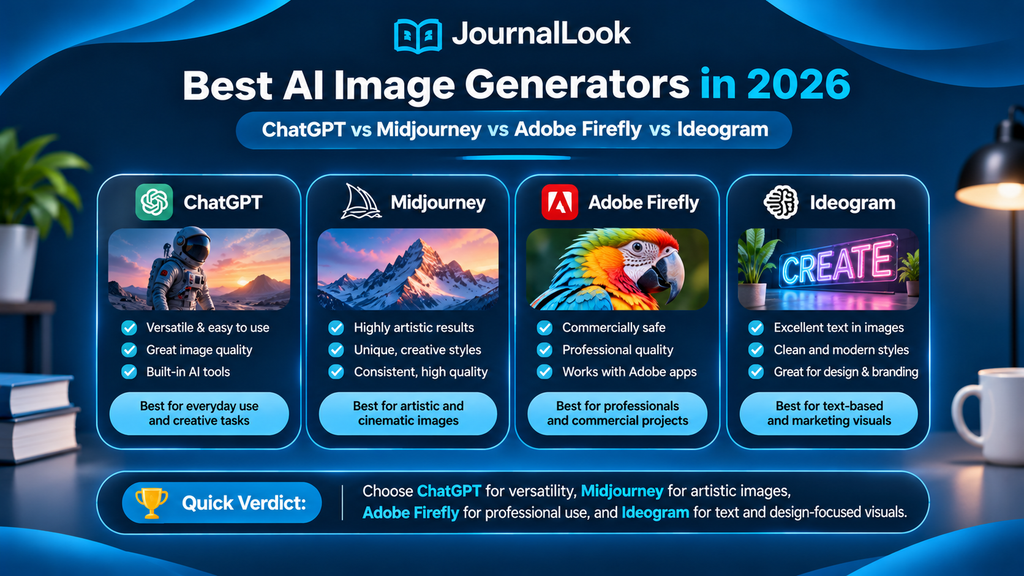
AI Image Generators Compared at a Glance
| Tool | Best for | Free access | Main consideration |
|---|---|---|---|
| ChatGPT | Conversational generation and edits | Limited free access may be available | Limits depend on plan |
| Midjourney | Art direction and stylized visuals | Do not assume a free trial | Subscription and usage terms |
| Adobe Firefly | Creative editing and Adobe workflows | Limited free credits or access may be offered | Generative-credit rules vary |
| Ideogram | Posters, typography and visual concepts | Limited free tier may be available | Privacy, credits and plan limits |
Free access, credits, privacy, and plan names are subject to change. We deliberately avoid presenting an unverified price as a current quote. Follow the official pricing links below for exact local checkout costs.
1. ChatGPT — Best for Conversational Image Creation
ChatGPT makes image generation feel like an iterative conversation. You can describe a scene, request a new composition, ask for alternate lighting, and continue refining your brief without learning a complicated prompt syntax. This can be particularly helpful for bloggers, small businesses, and beginners who want to move from a rough idea to a usable concept.
Best use cases
An editorial illustration for a blog post; several layout directions for a hero banner; revisions to a visual concept based on feedback.
Strengths
- Natural-language prompting and follow-up changes.
- Useful for exploring several creative directions.
- Convenient when writing and image ideation happen in one workspace.
Limitations
- Results can still misrepresent details or brand marks.
- Usage and image-generation limits depend on your plan.
- Generated text, hands, or object relationships still deserve review.
Pricing and plans: Check the official ChatGPT website for current tiers, credits, usage limits, and applicable rights.
JournalLook verdict: Choose ChatGPT if its core workflow matches your actual creative work; test with a representative brief before committing to a paid plan.
2. Midjourney — Best for Stylized Artwork and Visual Exploration
Midjourney has built a reputation around striking, stylized image creation and creative exploration. Its appeal is strongest when visual mood, texture, lighting, and art direction matter. A designer looking for a cinematic environment or an atmospheric concept may appreciate the breadth of styles it can produce. However, an attractive image is not necessarily a finished advertisement: text accuracy, product fidelity, and final layout still require attention.
Best use cases
Concept art, moodboards, atmospheric editorial images, and artistic exploration.
Strengths
- Strong emphasis on visual aesthetics and style exploration.
- Useful for generating multiple art directions from a brief.
- Can support early-stage concept development.
Limitations
- A subscription may be necessary for regular use.
- Text and brand fidelity require inspection.
- Privacy and commercial-use terms depend on the plan.
Pricing and plans: Check the official Midjourney website for current tiers, credits, usage limits, and applicable rights.
JournalLook verdict: Choose Midjourney if its core workflow matches your actual creative work; test with a representative brief before committing to a paid plan.
3. Adobe Firefly — Best for Creative Editing and Adobe Workflows
Adobe Firefly is positioned within a broader creative software ecosystem. For creators already using Adobe applications, the practical benefit may be less about a single standalone image and more about combining generation with editing and production. Tools and integrations differ across products and plans, so check which Firefly features are actually included in your workflow.
Best use cases
Marketing assets, creative variations, and image-editing tasks alongside Adobe design applications.
Strengths
- Designed with creative production workflows in mind.
- Can complement established editing and design tools.
- Official documentation addresses generative features and usage terms.
Limitations
- Generative credits and premium capabilities vary.
- Some integrations require other Adobe subscriptions.
- Commercial suitability still depends on the exact asset and terms.
Pricing and plans: Check the official Adobe Firefly website for current tiers, credits, usage limits, and applicable rights.
JournalLook verdict: Choose Adobe Firefly if its core workflow matches your actual creative work; test with a representative brief before committing to a paid plan.
4. Ideogram — Best for Typography-Focused Images
Ideogram is particularly relevant for designs where written words are part of the visual concept. Think poster headlines, social graphics, or promotional art with large type. This does not mean every generated letter will be perfect: important wording should always be checked, and final production graphics may still benefit from manual typesetting.
Best use cases
Poster concepts, typographic social images, slogan-driven visuals, and headline-led mockups.
Strengths
- Emphasis on text-forward image creation.
- Useful for quickly exploring poster and graphic directions.
- Can help test typography with illustration in one concept.
Limitations
- Always proofread generated text.
- Free-tier visibility and privacy may be restricted.
- Precise brand typography may still need a design editor.
Pricing and plans: Check the official Ideogram website for current tiers, credits, usage limits, and applicable rights.
JournalLook verdict: Choose Ideogram if its core workflow matches your actual creative work; test with a representative brief before committing to a paid plan.
Which AI Image Generator Should You Choose?
For a blogger: Start with ChatGPT for concepts and revisions, then inspect every image at the exact dimensions of your website theme. A good image can fail as a featured thumbnail if its headline or focal subject is cropped.
For an artist or creative director: Midjourney is worth evaluating for exploratory art direction, moodboards, and stylized imagery. Compare several prompts and look for consistency across a series, not just one spectacular result.
For a design team using Adobe software: Firefly may fit naturally into an existing production process. Check integrations, credit consumption, and whether your team needs an additional subscription.
For posters and social graphics: Ideogram is a sensible candidate when typography is central. Proofread every headline and export a clean version for final review.
How to Compare Image Quality Fairly
A useful comparison starts with the same creative brief, not four unrelated sample images. Try a prompt such as: “A minimalist editorial desk with a laptop, notebook, warm side lighting, navy background, clean composition, 16:9 landscape.” Then assess how each tool handles composition, subject accuracy, lighting, and revision requests.
- Prompt adherence: Did the result include the required subjects and constraints?
- Visual quality: Are details coherent at full resolution, not just thumbnail size?
- Text rendering: Are requested words spelled correctly and readable?
- Editability: Can you refine the image without starting over?
- Consistency: Can you create a series with a shared visual identity?
- Real cost: How many useful exports do you get for your plan and credits?
- Rights and privacy: Are you allowed to publish the output, and who can see your prompts?
Featured Image Tip: Avoid Cropped Headlines
For blog thumbnails, keep the headline, logo, and main subject well inside the center of the image. Treat the outer edges as expendable background because WordPress themes may crop images to fill a card. A 16:9 file alone does not guarantee that a different card aspect ratio will preserve everything. Preview on desktop and mobile before publishing.
Can You Use AI-Generated Images Commercially?
Commercial-use permissions depend on the provider, plan, jurisdiction, and the content of the image. Read the current terms of service and licensing rules rather than assuming that paying for a subscription grants every possible right. Avoid copying protected characters, impersonating real people, or implying a brand endorses your work. For product reviews, do not present a generated picture as a real photograph of the item.
How to Write Better AI Image Prompts
A practical prompt identifies the subject, setting, style, framing, lighting, and any constraints. Instead of “make a nice technology image,” write: “Create a clean 16:9 editorial illustration of a laptop on a wooden desk, soft window lighting, deep navy and trust-blue palette, subject centered, wide safe margins, no visible text.”
For images containing important words, consider adding the text later in Canva, Photoshop, or another design editor. That often gives you more reliable typography and makes the design easier to update when a headline changes.
Frequently Asked Questions
What is the best AI image generator in 2026?
There is no universal winner. ChatGPT suits conversational iteration, Midjourney is worth exploring for artistic styles, Adobe Firefly for Adobe-oriented workflows, and Ideogram for typography-heavy concepts.
Which AI image generator is best for beginners?
A conversational interface such as ChatGPT can be approachable because you can describe changes in plain language. The best fit still depends on available features and your preferred workflow.
Can I generate AI images for free?
Some providers offer limited free access or credits, while others focus on paid plans. Free allowances and restrictions change, so verify the current official pricing page.
Which tool is best for words inside an image?
Ideogram is an option to evaluate for typography-centered visuals. Regardless of the generator, proofread the text before publishing.
Can AI-generated images be used on a blog?
Often they can, but you must check the provider’s terms, any third-party rights, and whether the image could mislead readers. Be transparent when synthetic imagery might be mistaken for a real product photograph.
Why does my WordPress featured image get cropped?
Many themes use a fixed image area with cover-style cropping. Keep essential elements in the central safe zone and preview the actual card layout on desktop and mobile.
Final Verdict
Choose ChatGPT for iterative image conversations, Midjourney for art-driven exploration, Adobe Firefly for Adobe-centered production, and Ideogram for typography-led concepts. The right choice is the one that produces useful, editable images for your real projects at a cost and licensing level you understand.
Before paying, test a consistent prompt set, inspect the results closely, and verify current pricing and commercial-use terms. Strong visuals support a good article, but accuracy, transparency, and practical usefulness still matter more than visual novelty.
Official Sources and Editorial Disclosure
Editorial disclosure: This guide uses publicly described capabilities and editorial workflow analysis; it does not claim controlled hands-on benchmark testing. Pricing, features, and license terms may change. The official links are informational and are not represented as affiliate links.