JOURNALLOOK / AI BUYING GUIDES / 2026
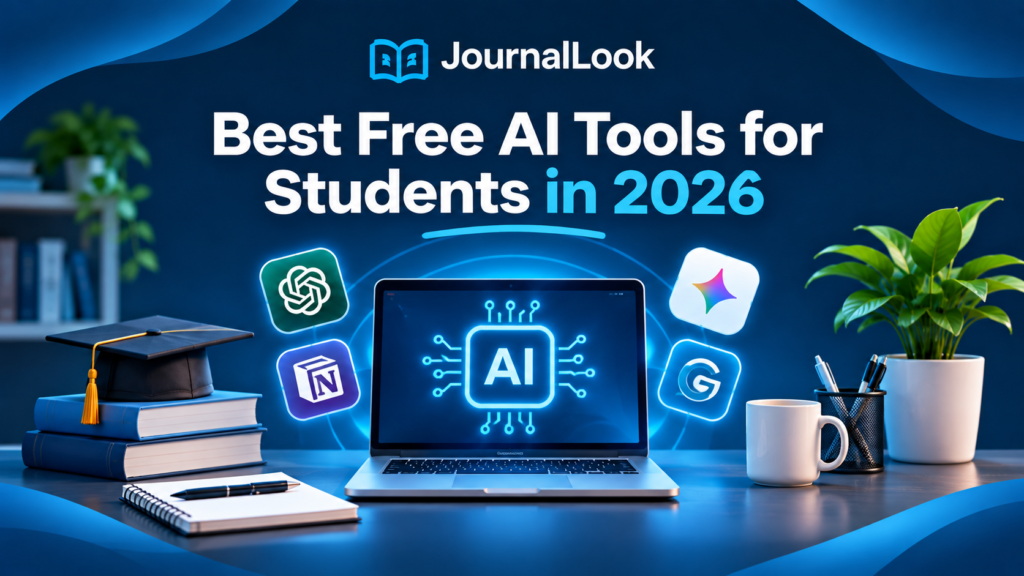
Best Free AI Tools for Students in 2026
Study smarter, organize your notes, improve your writing, and create better presentations—without starting with an expensive subscription.
Updated November 2026. Students have more AI-powered study options than ever, but choosing a useful tool is not the same as downloading every app with “AI” in its name. Some tools explain difficult concepts, others polish writing, organize research, or turn ideas into presentations. The best starting point is the specific task you need to finish.
In this JournalLook guide, we compare seven practical options with free access or a free tier: ChatGPT, Google Gemini, Claude, Grammarly, QuillBot, Notion, and Canva. Free plans have limits that can change, and some advanced AI functions are paid. We focus on what each tool is designed to do and where it fits in a student workflow. This is an editorial comparison based on publicly available documentation, not a claimed hands-on benchmark.
Quick Verdict
Best all-around study companion: ChatGPT. Best for Google-connected workflows: Gemini. Best for thoughtful document discussion: Claude. Best for proofreading: Grammarly. Best for paraphrasing: QuillBot. Best for organizing assignments: Notion. Best for visual presentations: Canva.
Best Free AI Tools for Students: Comparison Table
| Tool | Best student use | Free access | Important limitation |
|---|---|---|---|
| ChatGPT | Explaining, brainstorming, practice questions | Free plan | Usage and feature limits |
| Gemini | Study questions and Google-oriented tasks | Free access | Capabilities vary by plan and region |
| Claude | Discussing text and improving structure | Free plan | Message and feature limits |
| Grammarly | Grammar, spelling, tone | Free plan | Advanced rewriting may be paid |
| QuillBot | Paraphrasing and concise rewriting | Free plan | Word and mode restrictions |
| Notion | Notes, tasks, assignment tracking | Free plan | AI capabilities may be limited or paid |
| Canva | Slides, posters, visual projects | Free plan | Some AI features and assets are paid |
Availability and usage limits can change. “Free access” does not mean every AI feature is unlimited or included. Always review the official product page before relying on a particular feature.

1. ChatGPT — Best for Flexible explanations and active recall
ChatGPT is useful when you need a concept explained in a different way. Instead of accepting a single answer, you can ask follow-up questions, request a simpler analogy, or turn a chapter outline into practice questions. This makes it more useful as an interactive study partner than as a machine for producing finished assignments.
Where it shines
- Ask it to explain a difficult concept at your current level.
- Generate a short quiz from notes you provide.
- Compare two approaches to solving a problem.
- Request feedback on your own draft rather than a replacement draft.
What to watch out for
- It can invent citations, misread context, or make calculation errors.
- Free access is subject to changing usage limits.
- Answers should be checked against course materials.
JournalLook verdict: Use it to learn the reasoning behind an answer, then solve a similar question yourself.
Official website: ChatGPT — features and plans.
2. Google Gemini — Best for Study help alongside Google workflows
Gemini is a conversational AI assistant that can help students brainstorm, summarize material they provide, and explore alternative explanations. Students already working in Google services may appreciate its ecosystem, although specific integrations and advanced features depend on account type, region, and subscription.
Where it shines
- Turn a topic into a structured study plan.
- Ask for multiple explanations of a difficult idea.
- Brainstorm presentation outlines and research questions.
- Create self-test prompts from a list of learning objectives.
What to watch out for
- Not all Google integrations are available on free accounts.
- Generated facts and references still need verification.
- Availability and limits may differ across countries.
JournalLook verdict: Consider Gemini if your coursework already lives in Google’s ecosystem, but check the exact free features on your account.
Official website: Google Gemini — features and plans.
3. Claude — Best for Reading, reasoning, and revising longer explanations
Claude is particularly relevant for students who want to discuss a passage, improve the structure of an argument, or work through a complex question in conversation. You can ask it to identify weak reasoning in a draft, suggest an outline, or explain how sections relate. Treat the response as a second opinion, not an authoritative academic source.
Where it shines
- Discuss a difficult reading and identify its main claims.
- Ask for constructive feedback on an essay outline.
- Explore counterarguments before writing.
- Rewrite your own explanation for greater clarity.
What to watch out for
- Free usage is limited.
- It can still make factual mistakes.
- Uploading private or unpublished material requires care.
JournalLook verdict: Choose Claude when you want feedback on clarity and argument structure rather than automatic submission-ready text.
Official website: Claude — features and plans.
4. Grammarly — Best for Proofreading emails and essays
Grammarly focuses on improving writing as you work. Its free offering is helpful for common spelling, grammar, and clarity issues, while more advanced rewriting and tone features may require a subscription. For students writing in English as an additional language, reviewing each suggestion can be a useful learning exercise.
Where it shines
- Check grammar and spelling before submission.
- Spot wordy or unclear sentences.
- Improve professional emails to instructors.
- Learn from repeated editing suggestions.
What to watch out for
- Automated suggestions can flatten your personal voice.
- It does not verify research claims or citations.
- Some advanced capabilities are paid.
JournalLook verdict: Use Grammarly at the editing stage, after your argument and evidence are in place.
Official website: Grammarly — features and plans.
5. QuillBot — Best for Paraphrasing with care
QuillBot offers tools for rephrasing existing text and improving sentence flow. It can be useful when a sentence you wrote sounds awkward or when you want to compare alternative ways to express the same point. However, changing words is not a substitute for understanding the source, and it does not remove your responsibility to cite another author’s ideas.
Where it shines
- Explore clearer versions of your own sentences.
- Shorten wordy explanations.
- Compare alternative wording.
- Use grammar and summarization features where available.
What to watch out for
- The free paraphraser has limits.
- Rewrites may subtly change meaning.
- Paraphrasing without attribution can still be plagiarism.
JournalLook verdict: Use QuillBot to refine your own wording, never to disguise copied work.
Official website: QuillBot — features and plans.
6. Notion — Best for Organizing notes and assignments
Notion is primarily a workspace for notes, databases, and task management. Its value for students comes from keeping courses, deadlines, reading lists, and project notes in one place. Notion also markets AI functionality, but students should not assume that every AI capability is included in the free plan. Even without premium AI, the basic organizational tools can be valuable.
Where it shines
- Create a dashboard for each semester.
- Track deadlines and assignment status.
- Keep lecture notes linked to reading lists.
- Build a repeatable weekly study checklist.
What to watch out for
- There is an initial learning curve.
- AI entitlements vary by plan.
- An elaborate workspace can become a distraction.
JournalLook verdict: Start with one simple courses-and-deadlines page before building a complicated system.
Official website: Notion — features and plans.
7. Canva — Best for Presentations and visual assignments
Canva makes it easier to create polished slides, posters, infographics, and other visual projects. Templates and design tools can save time for students who are not graphic designers. AI-assisted creation is part of Canva’s broader product offering, but free users should expect limits on certain tools, templates, and assets.
Where it shines
- Build clear slide decks for class presentations.
- Create simple diagrams and study posters.
- Turn a project summary into a visual one-pager.
- Collaborate on group-project visuals.
What to watch out for
- Some premium assets and AI features require payment.
- Templates still need accurate content and attribution.
- Over-designed slides can distract from the message.
JournalLook verdict: Choose Canva when the assignment needs strong visuals, then keep the text concise and evidence-based.
Official website: Canva — features and plans.
Which Free AI Tools Should You Choose for Your Major?
Humanities and social sciences: Use ChatGPT, Claude, or Gemini to challenge your outline and develop questions for further reading. Use Grammarly to polish the final language. Always consult the assigned readings and cite the original academic sources.
Business and accounting: Ask a conversational assistant to explain terminology or create practice problems, then verify calculations with your textbook, spreadsheet, or instructor’s worked examples. AI-generated financial figures can be wrong even when the explanation sounds confident.
Science and engineering: Use AI for conceptual explanations and practice questions, but independently check formulas, units, code, and lab safety information. A plausible-looking derivation is not proof of correctness.
Design and media: Canva is useful for visual communication, while a conversational assistant can help refine your brief, storyboard, or presentation narrative. Verify licenses and permissions for every asset you publish.
A Free AI Study Workflow You Can Actually Use
- Before class: Use ChatGPT or Gemini to list key questions about the topic, not to replace the lecture.
- During class: Capture your own notes and examples. Keep them organized in Notion or another notes app.
- After class: Ask an assistant to quiz you on your notes. Try answering without looking first.
- When writing: Draft your own argument, then use Grammarly or QuillBot for targeted edits.
- Before presenting: Build slides in Canva and check that every chart and claim is accurate.
- Before submitting: Verify citations, calculations, academic integrity rules, and privacy requirements.
Important: Use AI Without Academic Misconduct
University rules vary. Some instructors welcome AI-supported brainstorming; others restrict generated text, code, or analysis. Follow your course policy, disclose AI assistance when required, and never invent sources. Do not upload confidential student records, unpublished research, or sensitive personal data without permission. Your final work should demonstrate your own understanding.
How to Decide Whether a Paid Upgrade Is Worth It
Do not subscribe just because a tool is popular. First, test the free version on three real tasks from your coursework. Ask whether it saves meaningful time, whether the answers are reliable after checking, and whether you actually hit the free limits. If you only need occasional proofreading or brainstorming, a paid plan may offer little additional value.
Also check whether your university offers approved software or educational access. Product eligibility, regional availability, and student offers can change, so use official pricing and eligibility pages rather than assuming a discount applies.
Frequently Asked Questions
What is the best free AI tool for university students?
ChatGPT is a flexible starting point for explanations and practice questions, but the best choice depends on the task. Grammarly is more focused on editing, Canva on visual projects, and Notion on organization.
Can students use AI to write assignments?
That depends on the university and the specific course. AI may be allowed for planning or proofreading but prohibited for generating submitted work. Check the policy and disclose use when required.
Are these AI tools completely free?
Each product listed has free access or a free plan, but limits differ. Some AI capabilities, higher usage allowances, premium templates, and integrations require payment.
Which AI tool is best for studying from lecture notes?
A conversational assistant can generate questions and explain the notes you provide. Check every answer against the lecture and course materials, especially when precise terminology matters.
Can AI tools generate reliable academic references?
Do not assume they can. AI systems may invent article titles, authors, quotations, or links. Locate and verify sources through your library, journal databases, or the publisher.
Do AI tools guarantee better grades?
No. They may support learning and productivity, but grades depend on understanding, effort, assessment requirements, and the quality of your own work.
Final Verdict
For most students, start with one conversational assistant and one task-specific tool. ChatGPT, Gemini, or Claude can help you learn and practice; Grammarly or QuillBot can help polish writing; Notion can organize your semester; and Canva can improve presentations. You do not need seven subscriptions to build a useful study system.
The best free AI tool is the one that helps you understand more, work more clearly, and remain responsible for what you submit. Test the free options first, verify important claims, and keep your own thinking at the center of the process.
Official Sources and Editorial Disclosure
- OpenAI — ChatGPT pricing
- Google — Gemini
- Anthropic — Claude
- Grammarly
- QuillBot
- Notion pricing
- Canva pricing
Editorial disclosure: This guide is based on product documentation and editorial analysis, not a claimed hands-on test of all seven products. Features, free-tier limits, availability, and pricing may change. The official links above are provided for verification and are not represented as affiliate links.